Operations with Reports
- Create New Report
- Operations with Report
- Operations with Template
- Data Breakdown & Lineage Inspection
- Validation Engine & Cross-Report Reconciliation
- Generate Delivery File
Create New Report
Key Components & Elements:
-
Top Action Trigger:
-
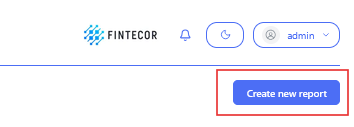
Create new report: Primary blue button in the upper right used to instantiate a new reporting set or template package.
-
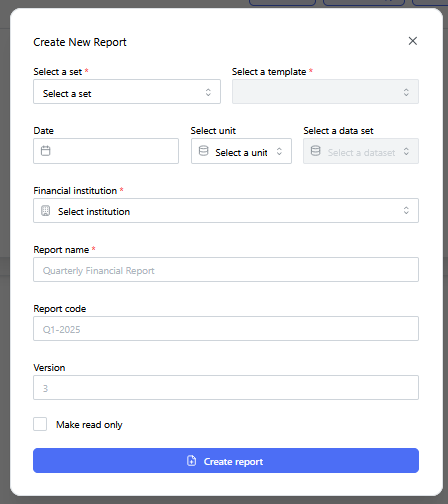
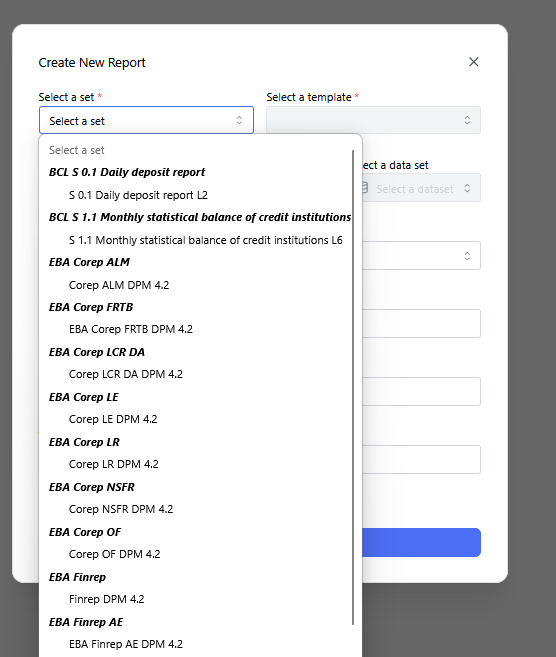
Context: The "Create New Report" dialog modal with the "Select a set" drop-down menu expanded.
-
Key Components & Elements:
-
Displays available regulatory frameworks and reporting sets (such as BCL, EBA COREP, EBA FINREP, etc.).
-
Allows users to select the foundational regulatory template structure for building new report packages.
-
-
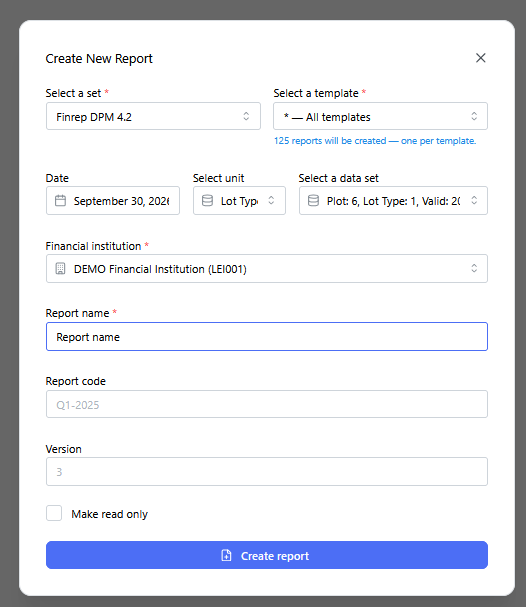
Context: The "Create New Report" dialog modal fully populated before triggering generation.
-
Key Components & Elements:
-
Configuration Fields: Shows filled inputs including template scope ("All templates"), reporting date, unit scale, dataset selection, financial institution, report name, unique code, and version identifier.
-
Submit Action: Primary action button to execute report populating and compilation.
-
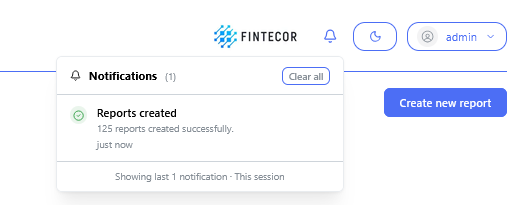
Context: Interface toast notification / status banner following batch creation.
-
Key Components & Elements:
-
Confirmation Banner: Displays a green success indicator with the system message: "125 reports created successfully".
-
Operations with Report
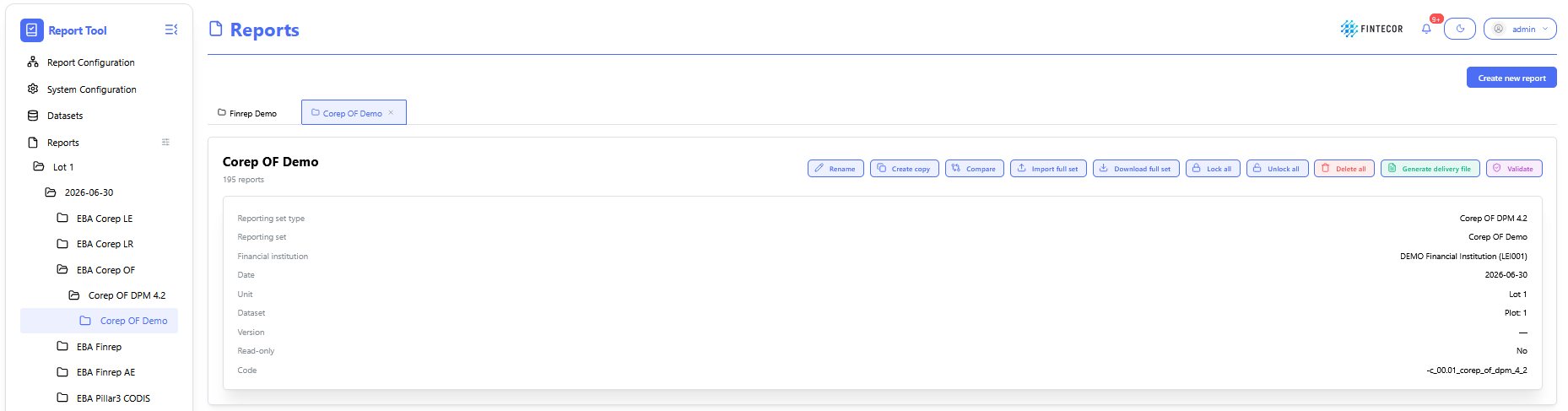
Context: reporting workspace showing a list of possible actions for selected reporting set.
-
Toolbar Action Controls:
- Rename: change name of selected reporting set.
-
Create copy: create copy of selected reporting set
-
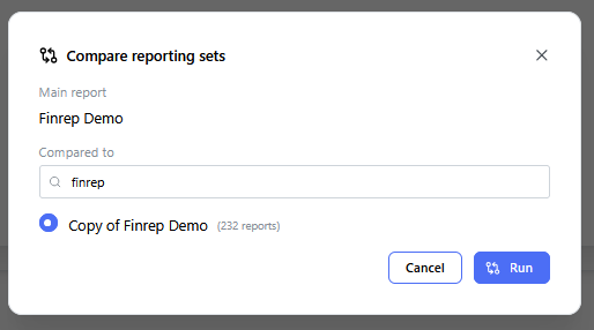
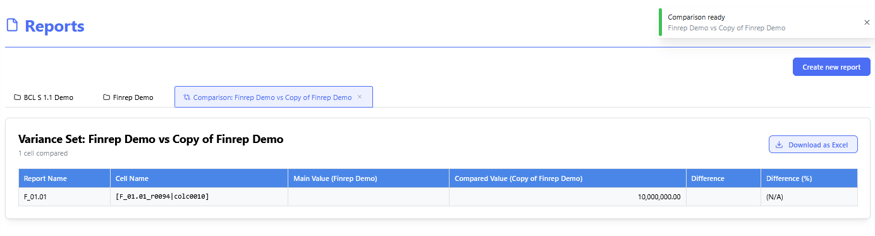
Compare: compare two selected reporting sets.
- Import full set: import data from Excel to all templates.
- Export full set: Export reporting set to one Excel files, including all templates. Can be used as template for filling and importing data to reporting set.
-
Lock All/ Unlock All: Toggles the report between read-only mode and active editing state for all included templates.
-
Delete all: delete full reporting set with all templates.
- Generate delivery file: generates delivery file for selected reporting set. See "Generate Delivery File".
- Validate: validate reporting set against all registered validation rules (EBA, ECB, local ruels etc.) See "Validation Engine & Cross-Report Reconciliation"

Context: Drill-down view for investigating a specific error or mismatch flagged by the reconciliation engine.
-
Key Components & Elements:
-
Root-Cause Analysis Panel: Displays underlying transactions causing the variance.
-
Resolution Options: Tools to acknowledge warnings, override exceptions with justification notes, or route issues to data stewards.
-
Context: Audit log tracking historical validation job executions.
-
Key Components & Elements:
-
Execution Timestamps: Shows when validation suites were triggered, who ran them, and their success states.
-
Batch Controls: Options to re-run specific validation suites or export execution logs for compliance audits.
-
Operations with Template
Context: reporting workspace showing a list of possible actions for selected template.
-
Toolbar Action Controls:
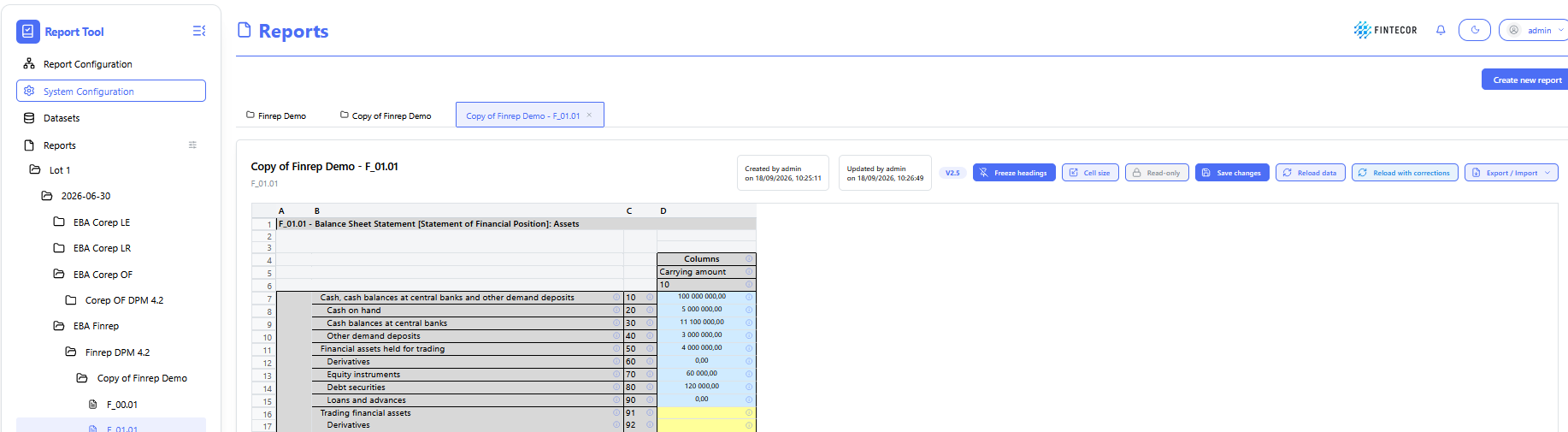
- Freeze headings: Pin/unpin row and column header labels so they remain visible while scrolling through large data tables.
- Cell size: Adjust row heights, column widths, and grid density for optimal table alignment.
- Read -only: Toggles the template between read-only mode and active editing state.
- Save changes: Persists manual entries, updates, or overrides made within the report grid.
-
Reload data: Re-fetches current values directly from the backend result dataset overwriting all manual corrections.
-
Reload with corrections: Re-fetches current values directly from the backend result dataset keeping all manual corrections.
- Export/Import: export template as separate Excel file/import template data from Excel as separate Excel file.
- Add row: add row for reports with dynamic rows.
- Delete rows: delete rows for reports with dynamic rows.

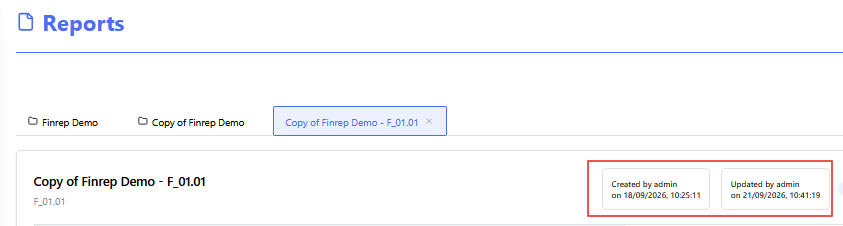
Context: Illustrates template change log:
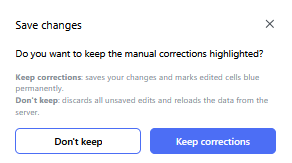
Context: Illustrates "Save changes" functionality
-
Key Components & Elements:
-
When manual correction done in template (manually or using Import function), Save change button should be used to save corrections!
-
-
- Don't keep - don't keep manual corrections highlighting. Correction will be saved, but not highlighted.
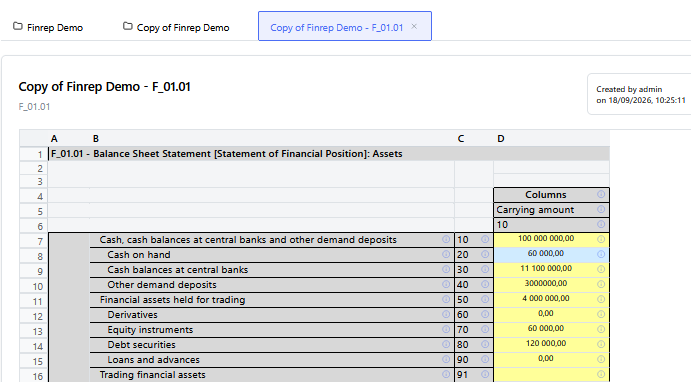
- Keep corrections - all manual correction will be saves and highlighted with blue color
.
Data Breakdown & Lineage Inspection
Context: cell information page.
To open cells information page click on "!" for the selected cell.
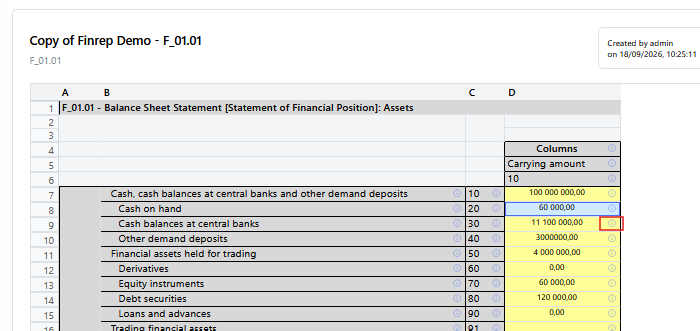
Context: A detailed popup window triggered when inspecting a specific report cell or line item.
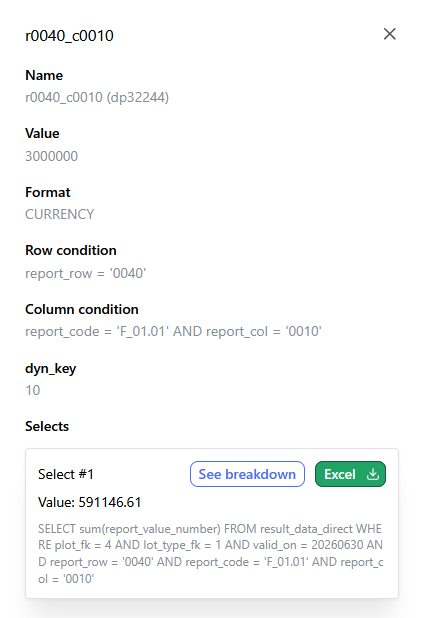
-
Key Components & Elements:
-
Header Details: Displays key metrics such as cell coordinates/identifiers, calculated numeric values, formatting types, and target row/column conditions.
-
SQL Queries Section: Outlines the underlying database queries executing against system data tables.
-
Action Options: Includes action buttons such as "See breakdown" (to inspect underlying record details) and "Export to Excel".
-
Context: The granular drill-down view displayed after clicking "See breakdown".
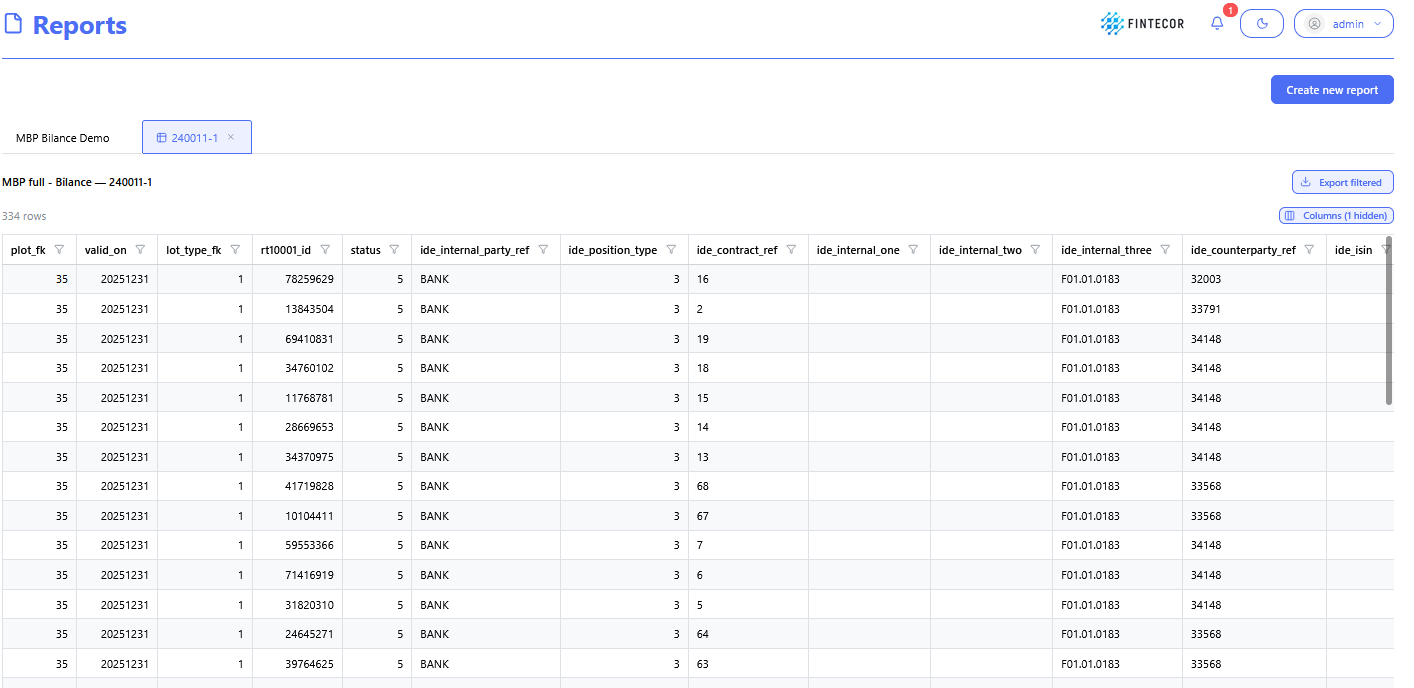
-
Key Components & Elements:
-
Data Table/Grid: Shows the individual source records that aggregate into the parent report cell's total value.
-
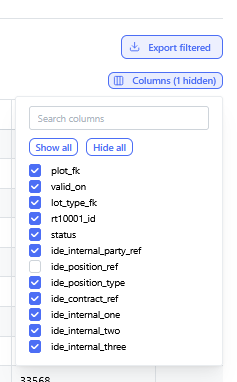
Columns: Displays source transaction attributes such as record IDs, source system flags, posting dates, amounts, and account codes.
-
Filtering & Pagination Controls: Interfaces for filtering specific line items or sorting source records.
-
Context: A direct inspection view focused on data provenance and lineage flow.
-
Key Components & Elements:
-
Lineage Diagram / Mapping Structure: Visual representation tracing data from raw input tables down to calculated reporting output cells.
-
SQL Preview Panel: Highlights code syntax and condition rules driving cross-table reconciliations.

-
Validation Engine & Cross-Report Reconciliation
To run validation got to Reporting Set information page. See page "Operation with Reporting set". Click "Validate".
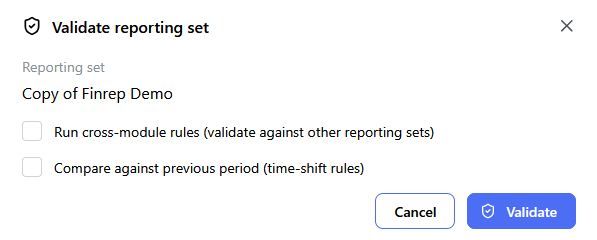
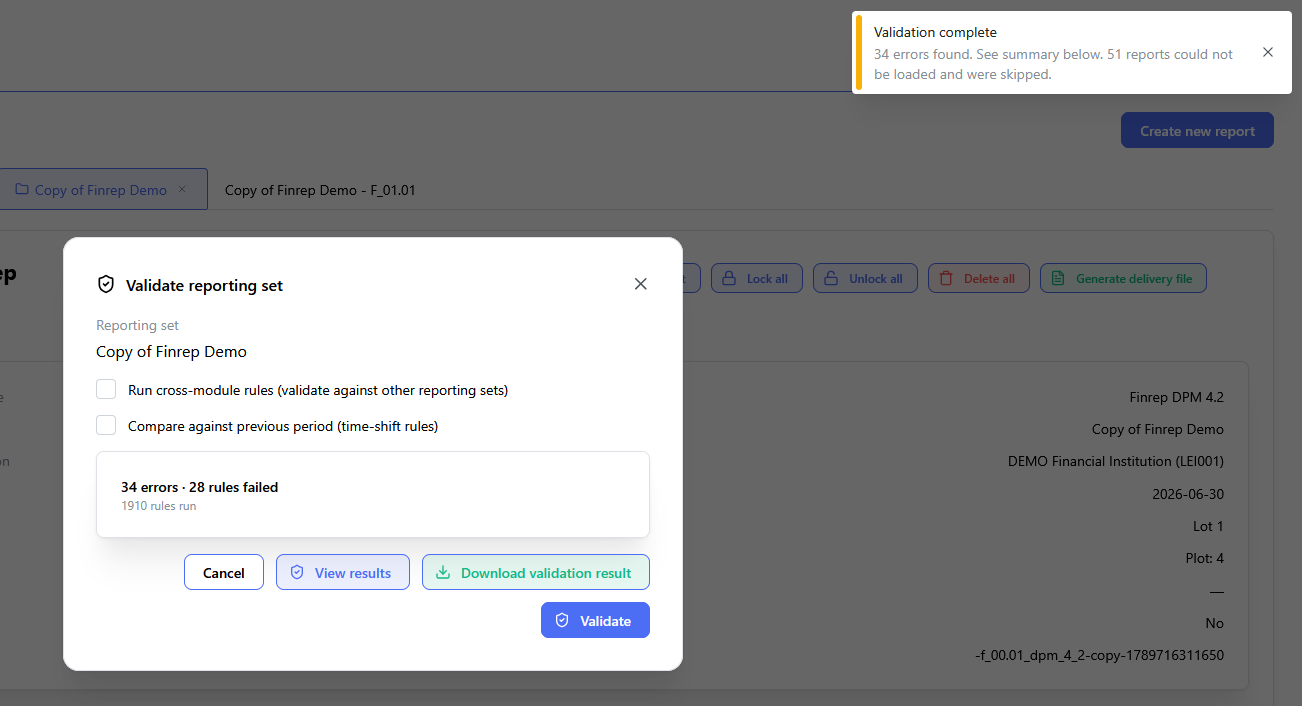
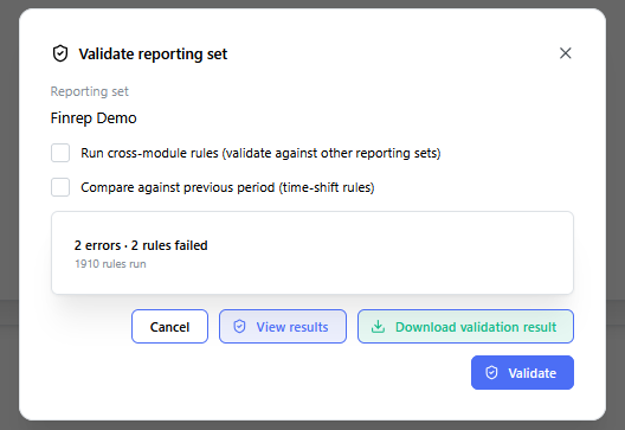
Context: validation completed window.
-
Key Components & Elements:
-
View results: view validation results in UI.
-
Download validation results: download validation results as Excel file.
-
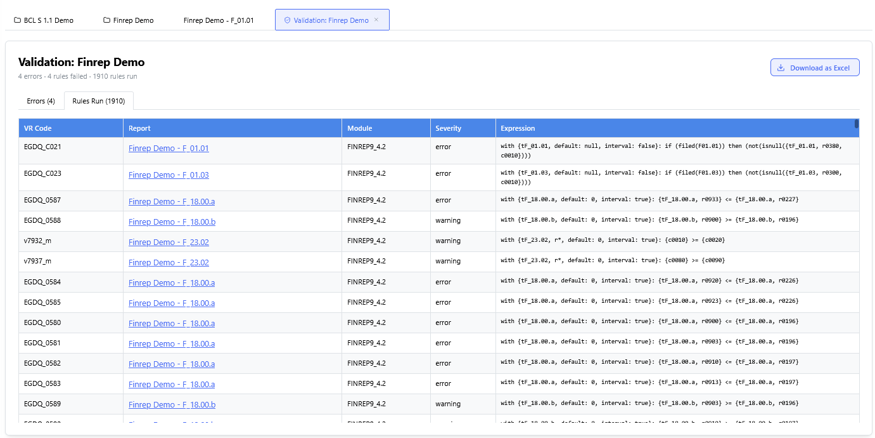
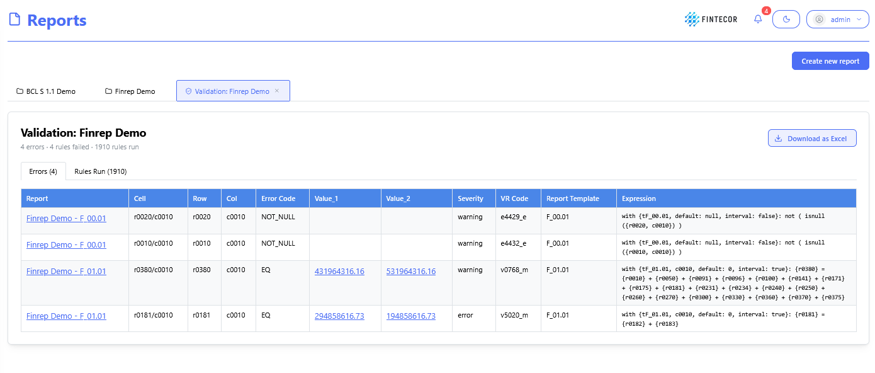
Context: The main landing view for the validation engine module.
-
Key Components & Elements:
- Errors: validation rules list, which failed.
-
Rules Run: High-level counts of total rules checked, passed validations, failed checks, and active warnings.
Context: Interface for creating or editing specific cross-report validation logic.
-
Key Components & Elements:
-
Rule Parameters: Fields defining rule IDs, descriptions, source reports/cells, and target comparison cells.
-
Formula & Tolerance Builders: Settings allowing tolerance thresholds or exact mathematical matching (
A == B).
-
Context: A matrix grid comparing corresponding line items across different regulatory or financial reporting statements.
-
Key Components & Elements:
-
Comparison Columns: Side-by-side values from separate reports (e.g., Report A vs. Report B).
-
Variance Indicators: Highlights data discrepancies, highlighting differences in red or yellow depending on predefined thresholds.
-
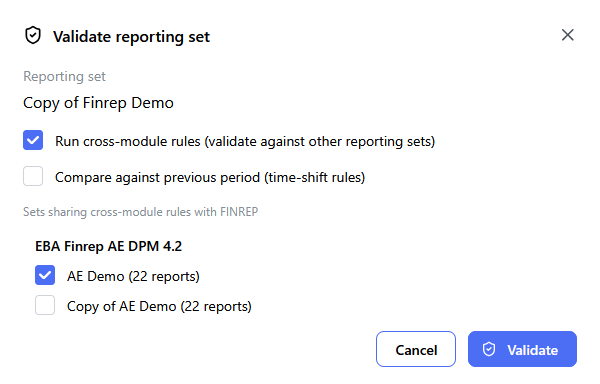
Cross-Report Reconciliation
To run Cross-Report validation rules select "Run cross-module rules (validate against other reporting sets)" and select for cross module reconciliation. Standard validation will be run including cross-module validation rules.
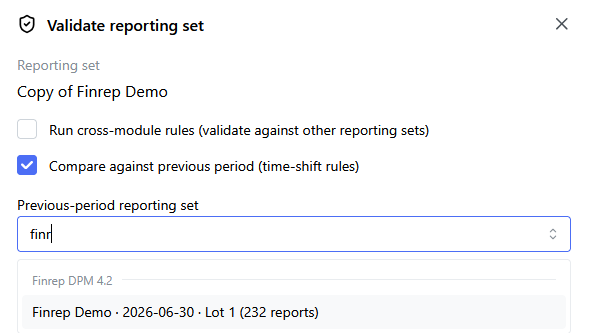
Compare against previous period (time-shift rules)
To run Cross-Report validation for Time-shift rules select Compare against previous period (time-shift rules)" and select previous reporting period Reporting set.
Generate Delivery File
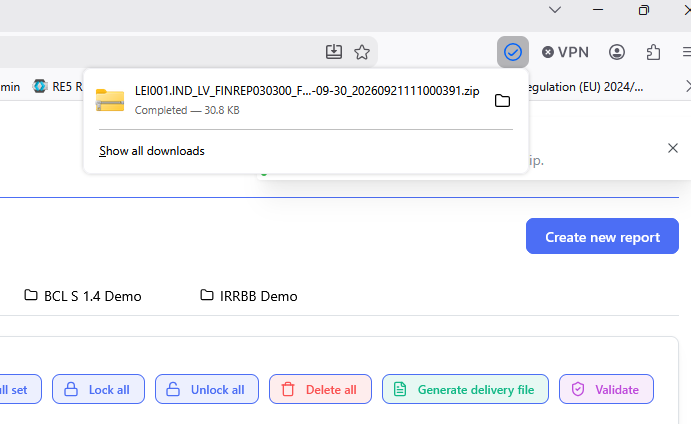
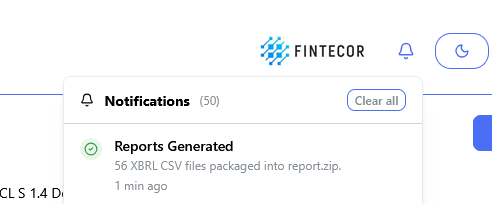
- Go to Reporting Set information page and select "Generate delivery file"
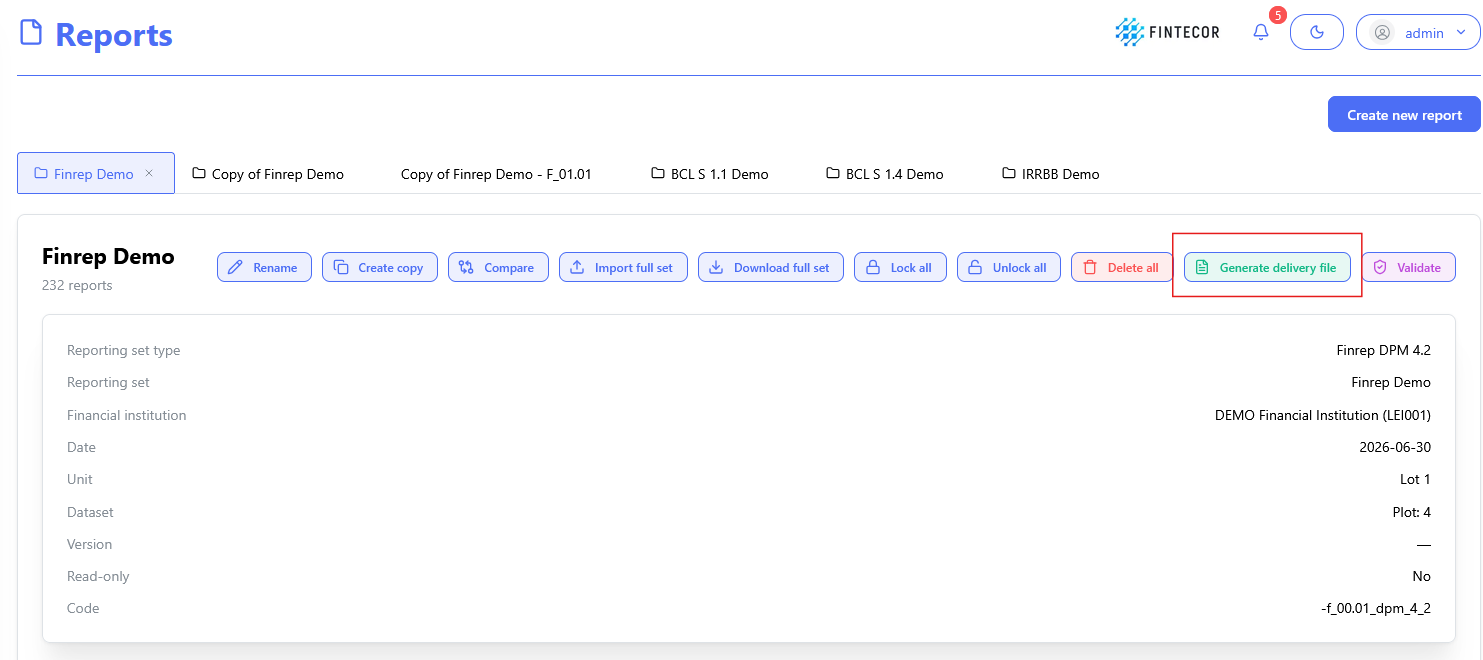
*For EBA reports function "Generate delivery file" could be unavailable in case filling indicators template for selected Report not fulfilled. Go to filling indicators template, fill filling indicators, save corrections and return to Reporting set information page.
- When delivery filed generated, got to you Download folder.
Institution and reporting level data taken from "Financial institution configuration"