System configuration and administration
Context: Setup form under System Configuration.
Key Components & Elements:
Top Navigation Bar:
- Users: Switches to user management and account creation.
- Financial Institutions: Active section tab highlighting financial entity settings.
- Data Lots: Navigates to unit and data lot configuration.
- General Configuration: Opens system parameters and precision controls.
- Licence: Module where the Fintecor licence file is installed.
- Reporting Set Updates: module where signed Fintecor reporting set packages are previewed and imported.
- User Access & Role-Based Permission
- Financial institution configuration
- Data lots configuration
- General Configuration
- System Logs & Revision History
- Licence
- Reporting Set Updates
User Access & Role-Based Permission
There are two roles possible, Admin and User.
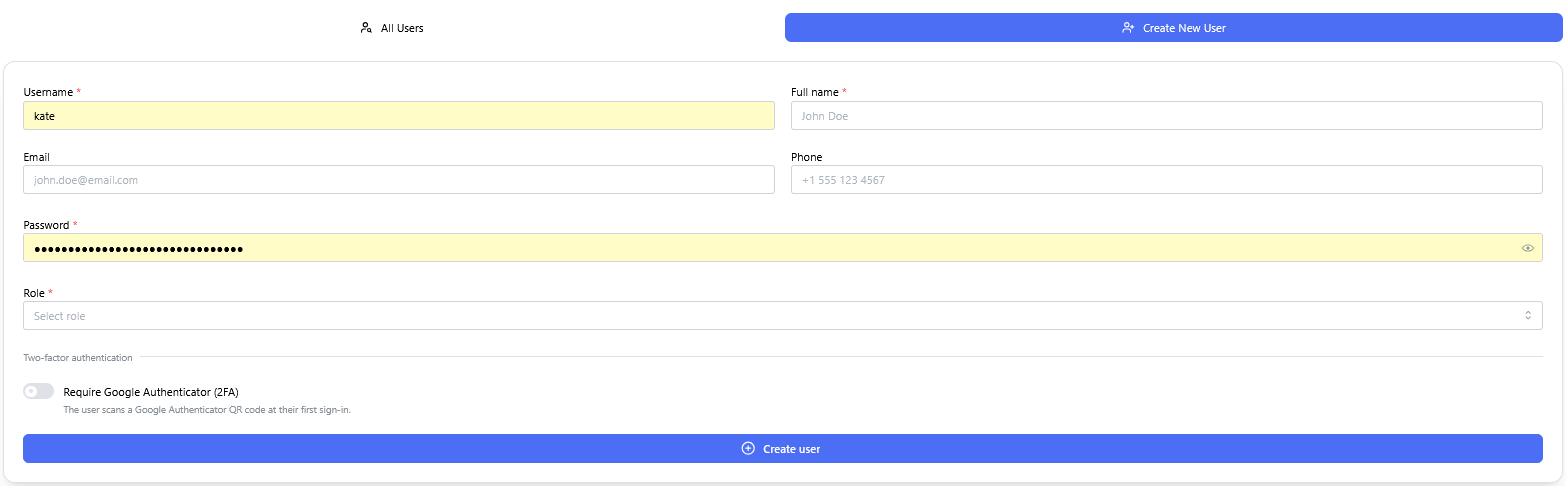
Context: Interface for provisioning new user accounts and assigning permissions within the system.
-
Key Components & Elements:
-
User Detail Input Fields: Captures essential user profile information, including username, full name, email address, phone number, and account password.
-
Role Assignment Controls: Configures access privileges with options to assign either Admin or User system roles.
-
Security & Authentication Options: Includes a toggle/checkbox option to enforce Google Authenticator (2FA) multi-factor authentication upon login.
-
Financial institution configuration
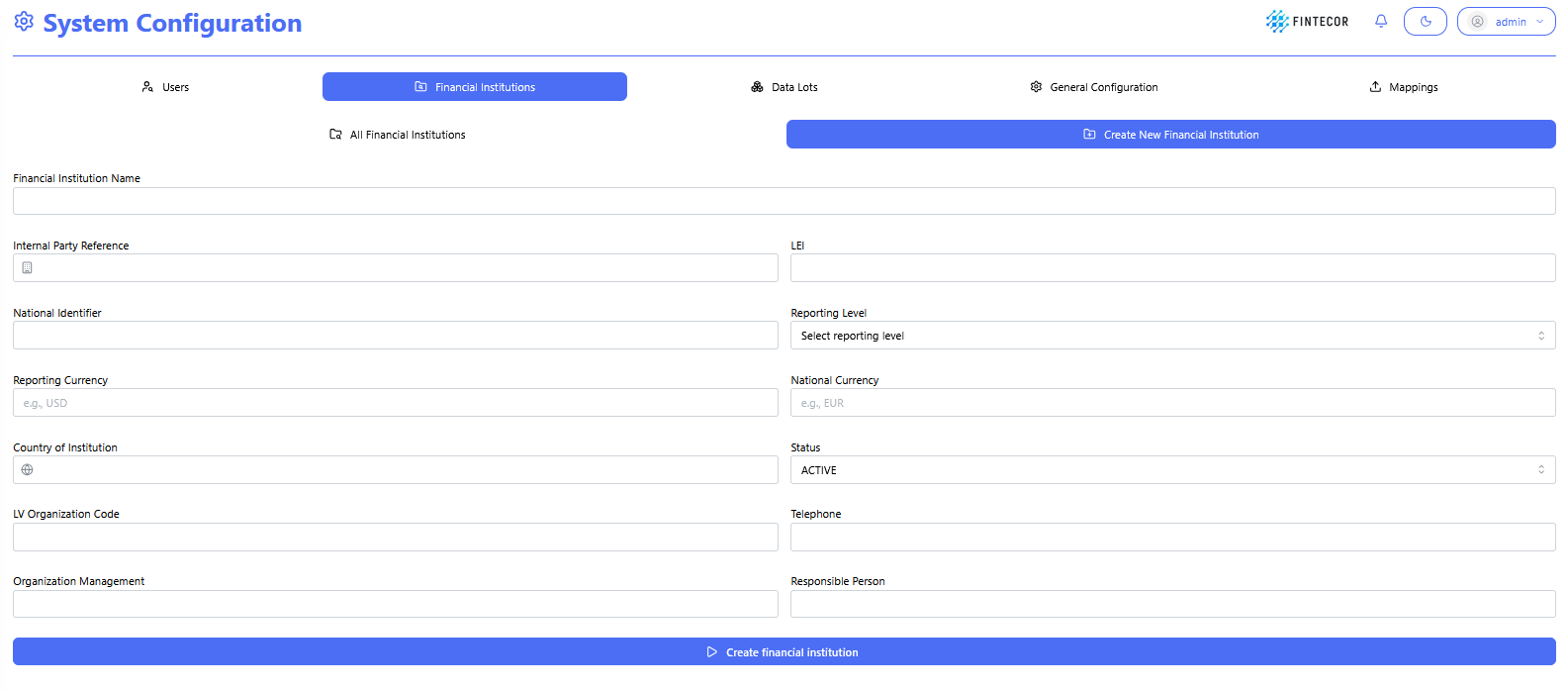
Context: Interface within the System Configuration module where Financial institutions are defined and created.
Key Components & Elements:
Context: Administrative overview table displaying configured financial institution records, their regulatory parameters, and row-level management actions.
Key Components & Elements:

Data lots configuration
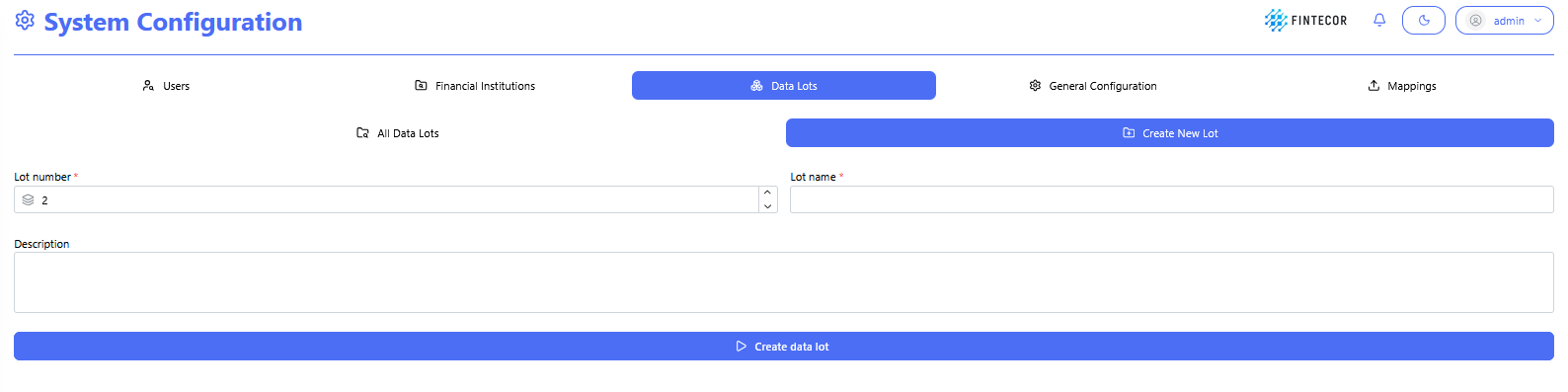
Context: Interface within the System Configuration module where new Data Lots are defined and created.
Key Components & Elements:
-
-
-
-
All Data Lots: Button/tab to return to the list view of all existing data lots.
-
Create New Lot: Active sub-tab displaying the new data lot setup form.
-
-
Input Fields:
-
*Lot number : Numeric input/spinner control to assign a unique numerical sequence ID for the lot.
-
*Lot name : Text input control to give the data lot a descriptive title.
-
Description: Multi-line text area to specify details or notes about the data unit.
-
-
Primary Action Button:
-
Create data lot: Submits the parameters to create and store the new data lots.
-
-
-
General Configuration
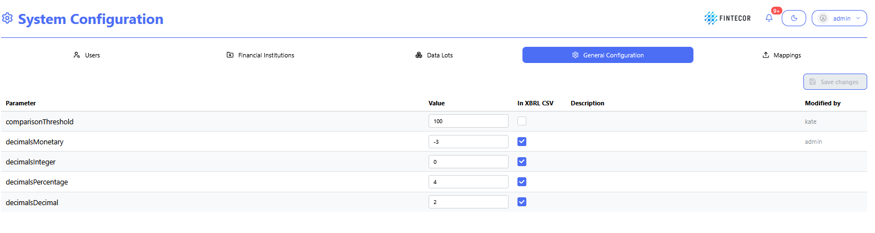
Context: general configuration workspace to define used parameter values.
Key Components & Elements:
General Configuration is highlighted.
Action Controls: Features a "Save changes" button in the upper-right area to apply updated parameter configurations.
System Logs & Revision History
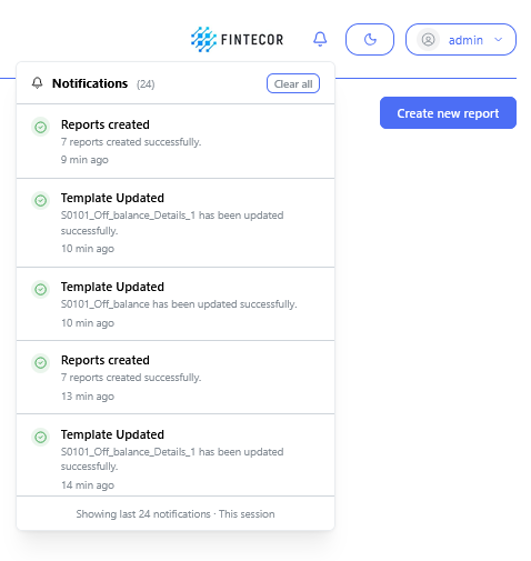
Context: Visual representation of system activity surfaced through the notification interface and execution status indicators.
-
Key Components & Elements:
-
Activity & Audit Stream: Displays recorded events including configuration changes, user logins, and system operations.
-
Background Job Status: Shows in-progress indicators and status updates for asynchronous background processes and scheduled tasks.
-
Notification Center Interface: Illustrates how server-side logs and operational events are presented within the application UI.
- Most system logs are kept server side not UI side.
-
Licence
Interface within the System Configuration module where the Fintecor licence file is installed and the reports it permits are listed.
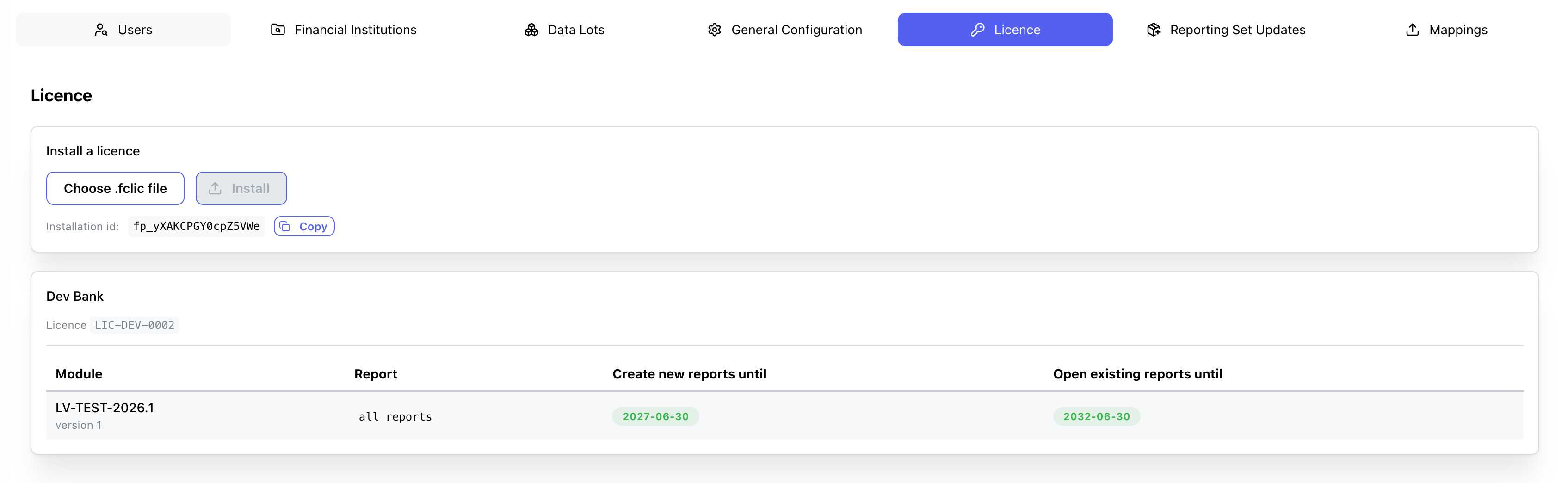
Key Components & Elements:
Install a licence
- Choose .fclic file: Opens a file picker for the licence file supplied by Fintecor. Accepts `.fclic` and `.txt`. Displays the selected file name once chosen.
- Install: Uploads and installs the selected licence file. Disabled until a file is selected.
- Installation id: Read-only identifier of this installation, quoted to Fintecor when requesting a licence. Each installation has its own value.
- Copy: Copies the installation id to the clipboard.
Licence summary (shown once a licence is installed)
- Customer name: The organisation the licence was issued to.
- Licence: The licence identifier issued by Fintecor.
- Create new reports until:** Date after which new reports can no longer be created from this module.
- Open existing reports until:** Date after which existing reports can no longer be opened or exported. Shows `No end date` when the grant has no limit.
Reporting Set Updates
Interface within the System Configuration module where signed Fintecor reporting set packages are previewed and imported. The package is checked and previewed first; nothing changes until the plan is confirmed.

Package Selection
Choose .fcpkg package: Opens a file picker for the package supplied by Fintecor. Accepts `.fcpkg` and `.zip`. The preview runs automatically once a file is selected.
Re-check: Re-runs the preview for the selected package without importing anything.