Global Settings & Platform Parameters
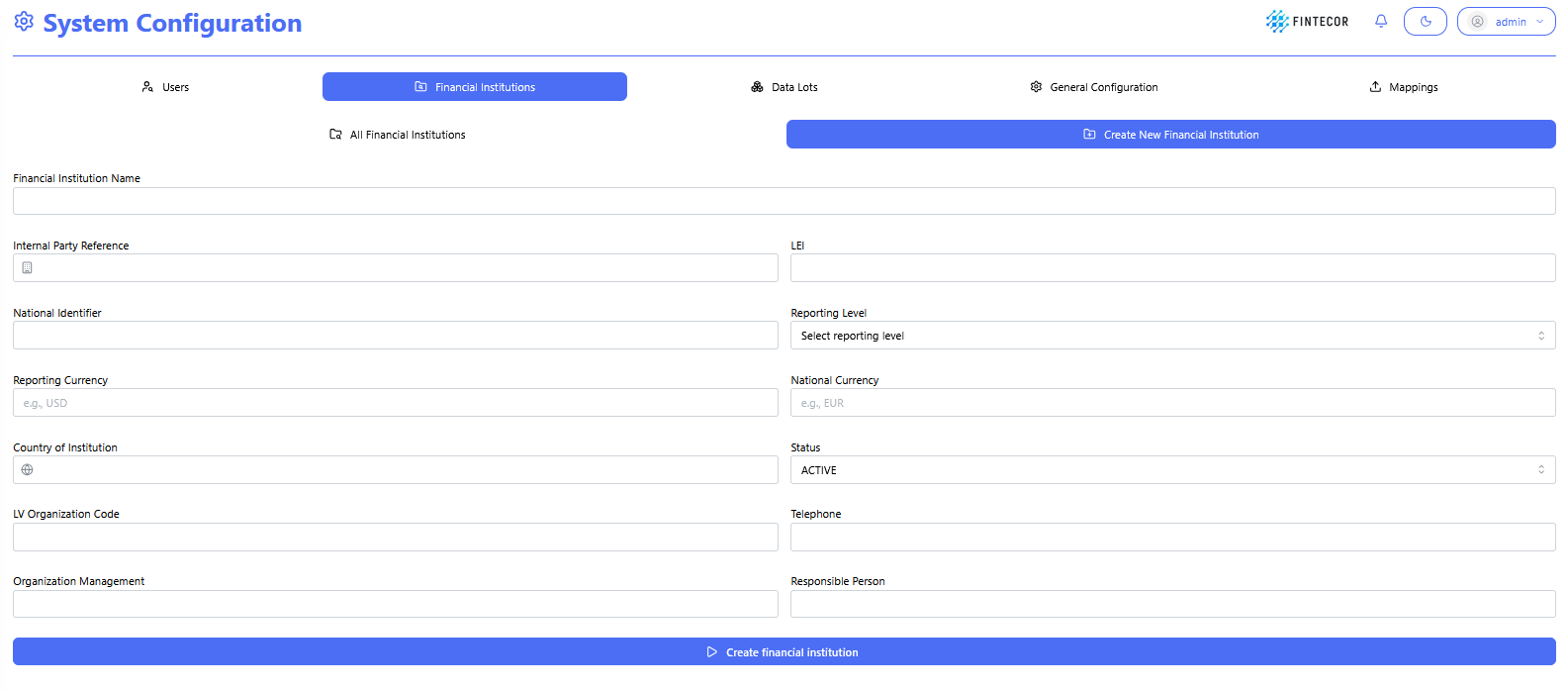
Financial Institution setup form under System Configuration, capturing details such as LEI, National Identifier, Reporting Level, Reporting/National Currency, Country, and Status.
All Financial Institutions list view, showing a configured institution record (DEMO Financial Institution) with its LEI, reporting level, currencies, and audit metadata (Modified/Created by admin).

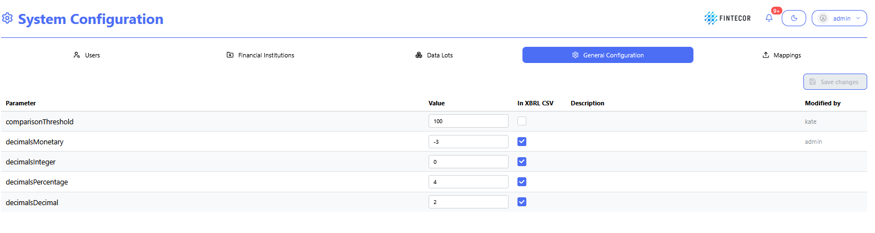
System Configuration landing area. The top tab row switches between Users, Financial Institutions, Data Lots, General Configuration (active, shown in blue), and Mappings. The table underneath lists platform-wide parameters (Parameter, Value, whether it's included "In XBRL/CSV" exports, a Description, and who last Modified the value)