Global Settings & Platform Parameters
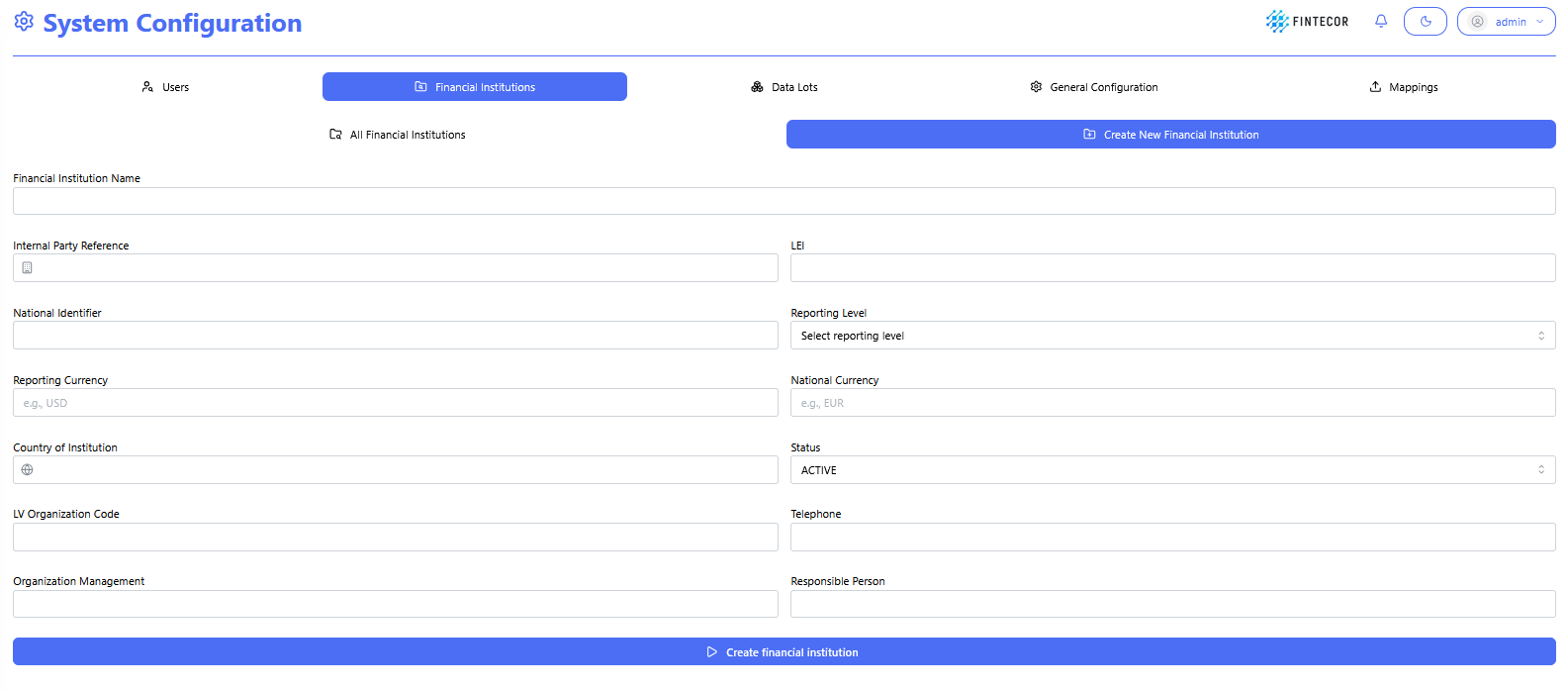
Context:Financial Institution setupSetup form under System Configuration,Configuration capturingused detailsto suchcapture asinstitution-level LEI,regulatory metadata.
Key Components & Elements:
Identification Fields: Input controls for Legal Entity Identifier (LEI) and National Identifier,Identifier.
Regulatory Parameters: Dropdown selections for Reporting Level, Reporting/National Currency, Country, and Status.Country.
Status Controls: State toggles defining active/inactive institutional reporting statuses
All
Context: InstitutionsAdministrative listoverview view,table showing adisplaying configured financial institution recordrecords (e.g., DEMO Financial Institution).
Key Components & Elements:
Institutional Data Columns: Displays LEI, assigned reporting level, currencies,and base currencies.
Audit Metadata: Tracks user history including "Created by" and audit"Modified metadataby" (Modified/Createdadmin bytags.

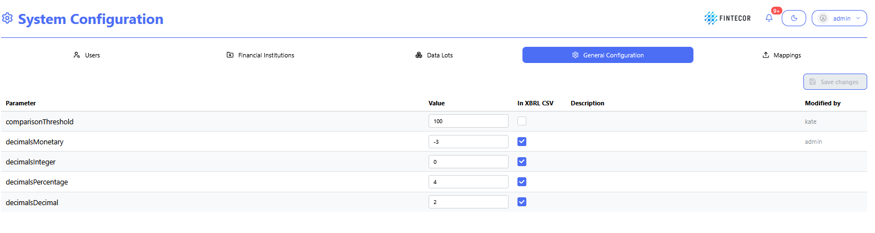
SystemContext: ConfigurationCentral landingconfiguration area.workspace Theshowing topgeneral tabplatform rowsettings. switches
Key Components & Elements:
Platform platform-wideParameter parametersTable: (Parameter,Columns for Parameter name, Value, whether it's included "In XBRL/CSV" exports,export atoggles, Description, and whoModification lasttimestamp.