General Configuration
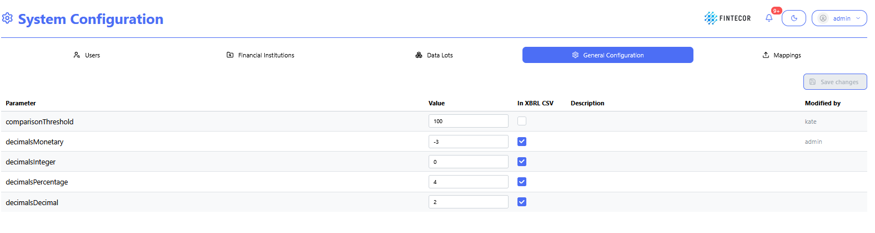
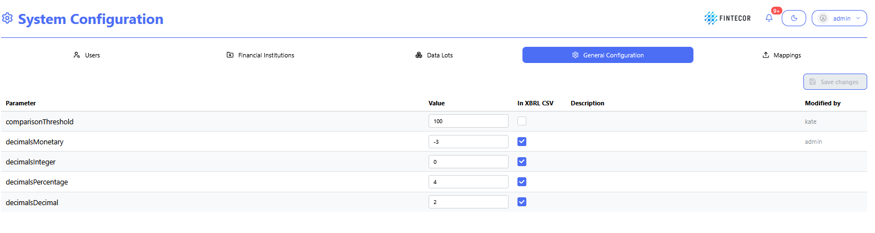
Context: Central configuration workspace showing general platform settings, calculation parameters, and output decimal formatting rules.
Key Components & Elements:
General Configuration is highlighted.
-
Parameter Form Controls:
-
Parameter Column: Displays system keys (comparisonThreshold, decimalsMonetary, decimalsInteger, decimalsPercentage, decimalsDecimal).
-
Value Inputs: Input boxes to define parameter value.
-
In XBRL CSV Checkboxes: Toggles specifying whether each parameter value used for xbrl-csv purposes.
-
Description Column: Shows explanations for each parameter key.
-
Modified by Column: Displays audit metadata for the last user who updated the row.
-
Action Buttons:
Action Controls: Features a "Save changes" button in the upper-right area to apply updated parameter configurations.