Operations with Reporting set
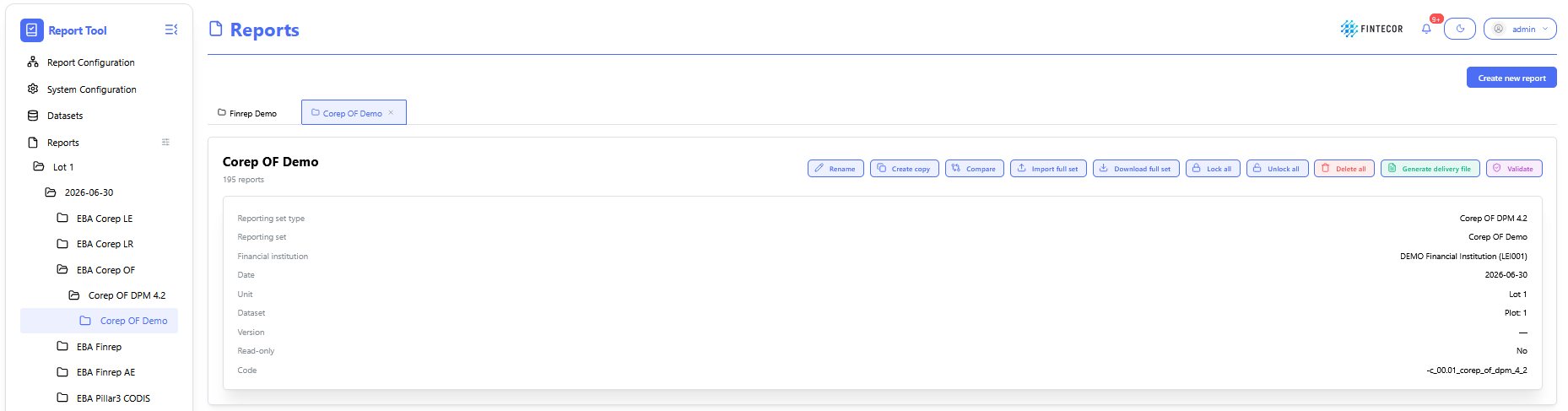
Context: reporting workspace showing a list of possible actions for selected reporting set.
-
Toolbar Action Controls:
- Rename: change name of selected reporting set,
-
Create copy: create copy of selected reporting set
-
Compare: compare two selected reporting sets.
- Import full set: import data from Excel to all templates.
- Export full set: Export reporting set to one Excel files, including all templates. Can be used as template for filling and importing data to reporting set.
-
Lock All/ Unlock All: Toggles the report between read-only mode and active editing state for all included templates.
-
Delete all: delete full reporting set with all templates.
- Generate delivery file: generates delivery file for selected reporting set.
- Validate: validate reporting set against all registered validation rules (EBA, ECB, local ruels etc.)

Reload data: Re-fetches current values directly from the backend dataset.
Reload with corrections: Re-populates grid values while applying the latest override rules and validation adjustments.
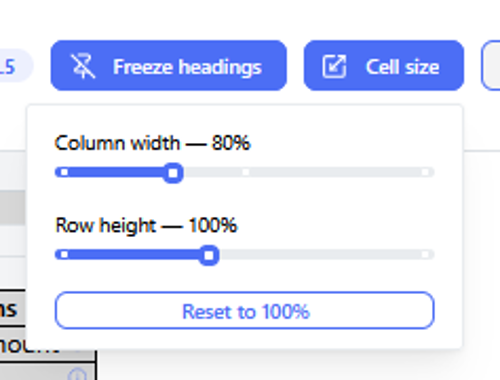
Context: Illustrates how workspace layouts can be adjusted to fit complex reporting tables.
Key Components & Elements:
Resize Handles / Grid Boundaries: Highlights interactive borders between columns and rows within the data grid.
Excel-Style Interaction: Accompanied by documentation noting that standard spreadsheet click-and-drag mouse gestures can be used to modify row heights and column widths dynamically.