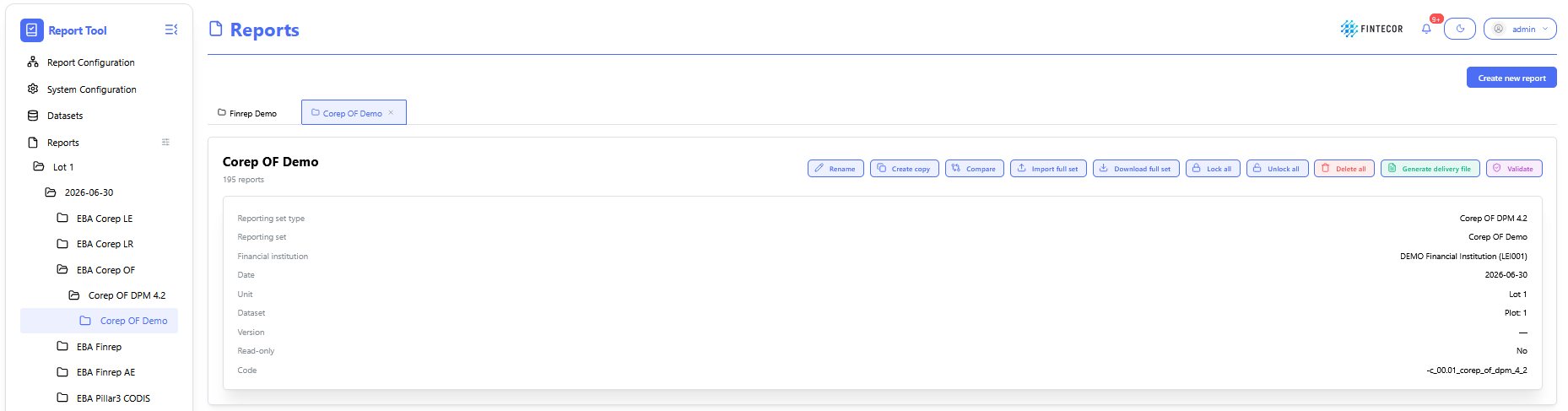
Operations with Reporting set
Context: reporting workspace showing a list of possible actions for selected reporting set.
-
Toolbar Action Controls:
- Rename: change name of selected reporting set.
-
Create copy: create copy of selected reporting set
-
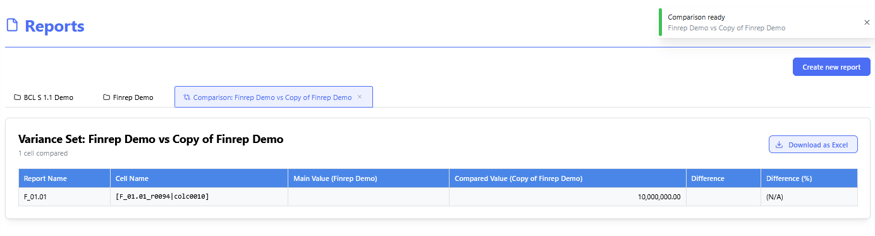
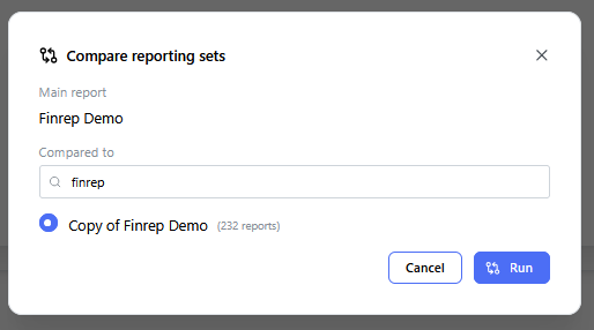
Compare: compare two selected reporting sets.
- Import full set: import data from Excel to all templates.
- Export full set: Export reporting set to one Excel files, including all templates. Can be used as template for filling and importing data to reporting set.
-
Lock All/ Unlock All: Toggles the report between read-only mode and active editing state for all included templates.
-
Delete all: delete full reporting set with all templates.
- Generate delivery file: generates delivery file for selected reporting set. See "Generate Delivery File".
- Validate: validate reporting set against all registered validation rules (EBA, ECB, local ruels etc.) See "Validation Engine & Cross-Report Reconciliation"

Context: Drill-down view for investigating a specific error or mismatch flagged by the reconciliation engine.
-
Key Components & Elements:
-
Root-Cause Analysis Panel: Displays underlying transactions causing the variance.
-
Resolution Options: Tools to acknowledge warnings, override exceptions with justification notes, or route issues to data stewards.
-
Context: Audit log tracking historical validation job executions.
-
Key Components & Elements:
-
Execution Timestamps: Shows when validation suites were triggered, who ran them, and their success states.
-
Batch Controls: Options to re-run specific validation suites or export execution logs for compliance audits.
-