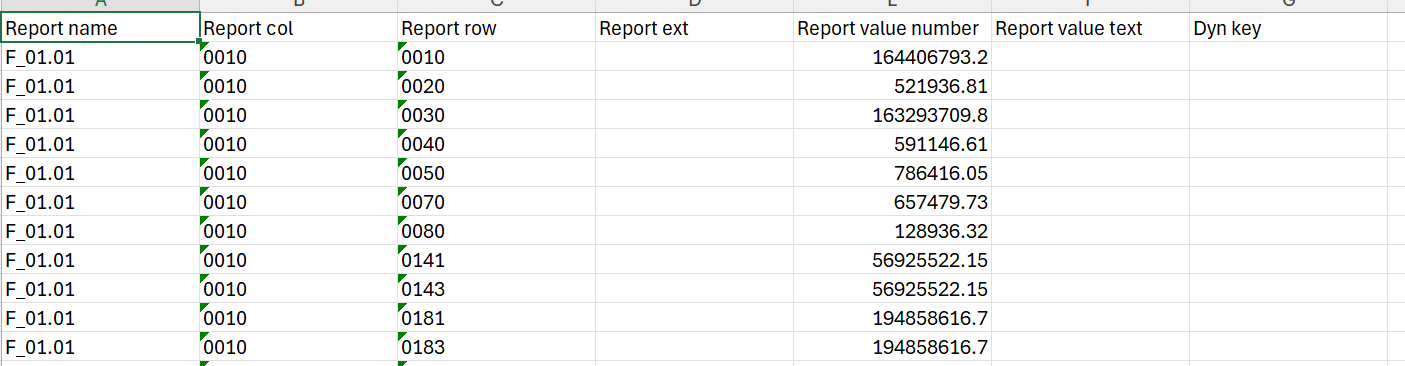
Datasets & Input Sources
Context: Main management interface showing the structured data hierarchy arranged by reporting period and assigned unit.
-
Key Components & Elements:
-
Hierarchical Tree View: Categorized drill-down structured by date and unit (e.g., 2026-06-30 → Lot 1 → Plot 1/Plot 4), including last run timestamps and status.
-
Execution Metadata: Status indicators and last run timestamps displaying recent processing state.
-
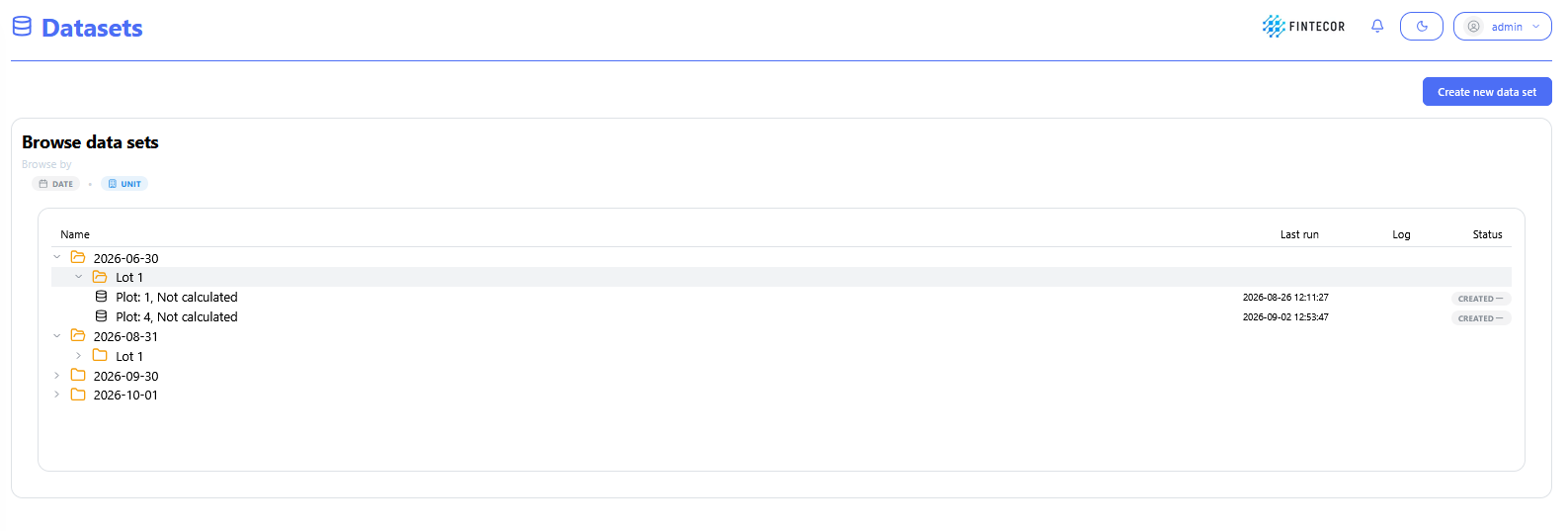
Context: Modal dialog prompt triggered when adding a new dataset to the platform.
-
Key Components & Elements:
- Date: date of data set. Should be equal to valid_on used in data set.
-
Unit Selection Dropdown: An expanded "Select unit" menu populated with available units/lots. Should be equal to lot_type_fk used in data set.
-
Plot FK: optional field to define created result set unique identifier. By default generated as incremental value.
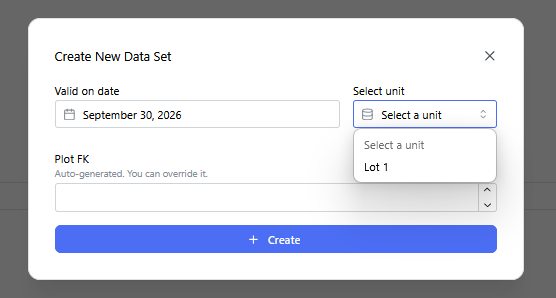
- Operations with datasets:
- Run calculations - functionality in process. Used for E2E solution.
- Validate result set - functionality in process. Used for E2E solution.
- Import Direct Allocation data - LastMile solution. Loading pre-calculated result data in Excel or csv format.
- Export Direct Allocation data - download existing direct allocation data for specific plot_fk from result_data_direct table. Download Excel template for result_data_direct data.
- Clear Direct Allocation data - delete existing data from result_data_direct table for specified plot_fk.
- Delete - delete all result data for specified plot_fk.
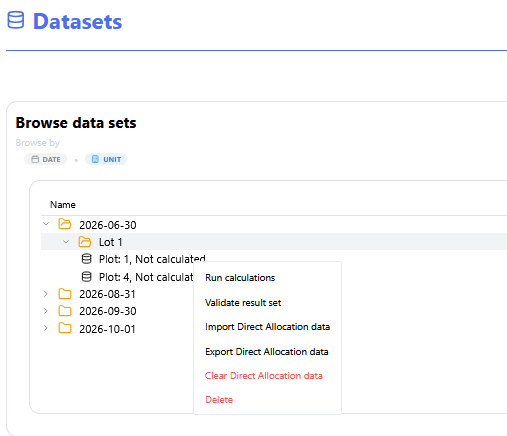
- For LastMile solution data can be loeaded directly to the table result_data_direct only for previously created Dataset.
- Excel file template for direct allocation data load: