
Operations with Template
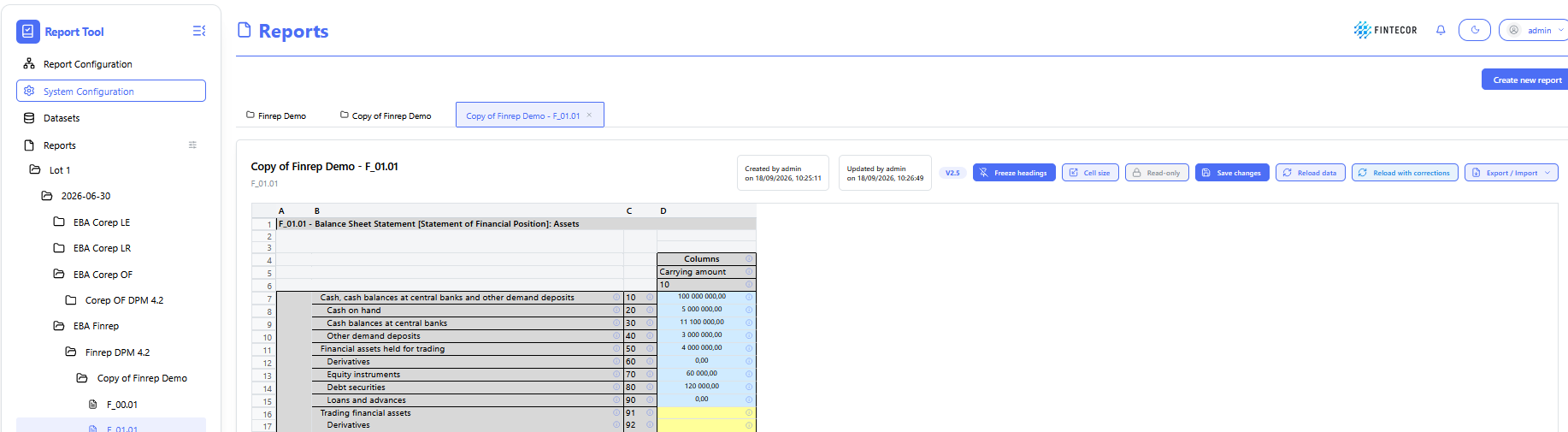
Context: reporting workspace showing a list of possible actions for selected template.
-
Toolbar Action Controls:
- Freeze headings: Pin/unpin row and column header labels so they remain visible while scrolling through large data tables.
- Cell size: Adjust row heights, column widths, and grid density for optimal table alignment.
- Read -only: Toggles the template between read-only mode and active editing state.
- Save changes: Persists manual entries, updates, or overrides made within the report grid.
-
Reload data: Re-fetches current values directly from the backend result dataset overwriting all manual corrections.
-
Reload with corrections: Re-fetches current values directly from the backend result dataset keeping all manual corrections.
- Export/Import: export template as separate Excel file/import template data from Excel as separate Excel file.
- Add row: add row for reports with dynamic rows.
- Delete rows: delete rows for reports with dynamic rows.

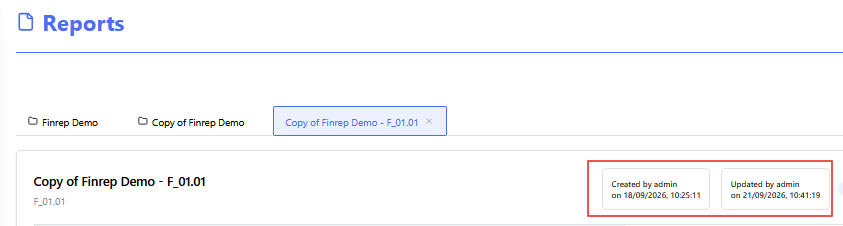
Context: Illustrates template change log:
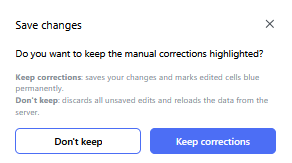
Context: Illustrates "Save changes" functionality
-
Key Components & Elements:
-
When manual correction done in template (manually or using Import function), Save change button should be used to save corrections!
-
-
- Don't keep - don't keep manual corrections highlighting. Correction will be saved, but not highlighted.
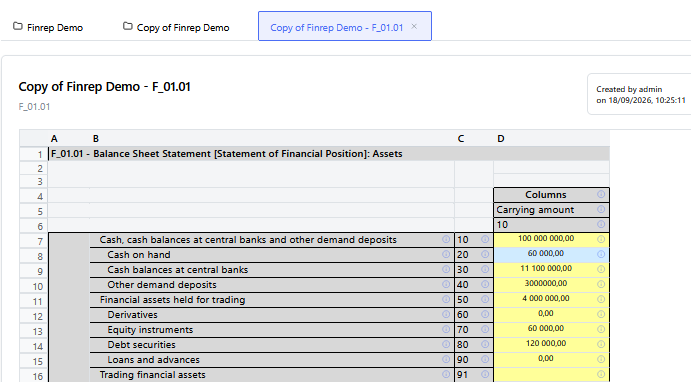
- Keep corrections - all manual correction will be saves and highlighted with blue color
.