
Licence
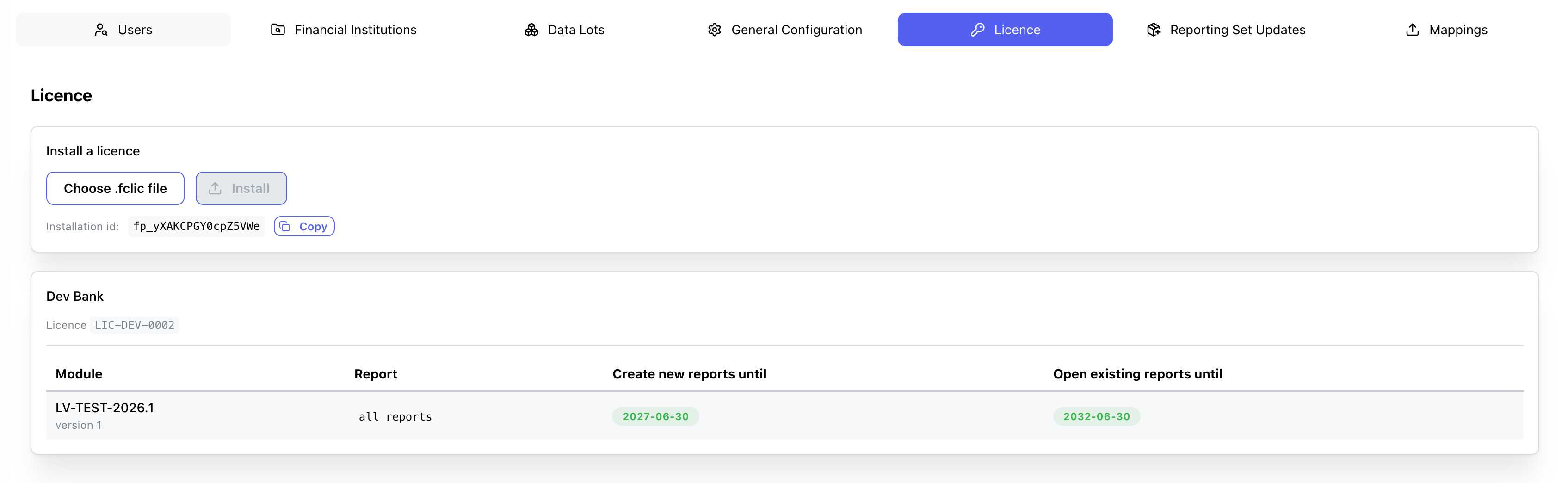
Interface within the System Configuration module where the Fintecor licence file is installed and the reports it permits are listed.
Key Components & Elements:
Install a licence
- Choose .fclic file: Opens a file picker for the licence file supplied by Fintecor. Accepts `.fclic` and `.txt`. Displays the selected file name once chosen.
- Install: Uploads and installs the selected licence file. Disabled until a file is selected.
- Installation id: Read-only identifier of this installation, quoted to Fintecor when requesting a licence. Each installation has its own value.
- Copy: Copies the installation id to the clipboard.
Licence summary (shown once a licence is installed)
- Customer name: The organisation the licence was issued to.
- Licence: The licence identifier issued by Fintecor.
- Create new reports until:** Date after which new reports can no longer be created from this module.
- Open existing reports until:** Date after which existing reports can no longer be opened or exported. Shows `No end date` when the grant has no limit.